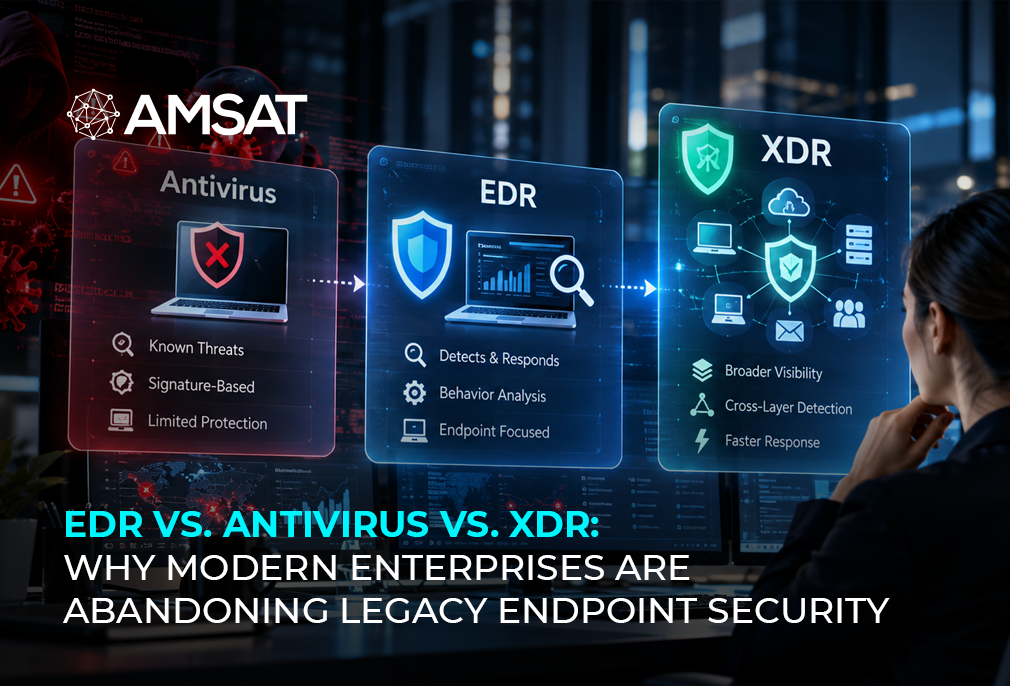
Today’s cyber threats are very different from the ones older security tools were designed to stop. Modern ransomware can attack without leaving files on a device. Some attackers quietly stay inside company networks for months before they’re discovered. Meanwhile, advanced malware constantly changes the way it behaves, making it much harder for traditional security tools to detect.
The financial impact is growing as well. According to IBM’s Cost of a Data Breach Report, organizations faced an average data breach cost of $4.45 million in 2023, the highest figure recorded to date. Yet millions of organizations are still relying on antivirus software as their primary endpoint defense. The same technology that was designed to catch the threats of 1990 is being asked to protect enterprises operating in 2026.
That gap between the security tools companies are running and the threats they are actually facing is exactly why endpoint detection and response (EDR) and extended detection and response (XDR) exist. These aren’t incremental upgrades to antivirus. They represent a fundamental rethinking of how endpoint and enterprise security work.
This guide breaks down the real differences between antivirus, EDR, and XDR so you can make an informed decision about where your organization stands and where it needs to go.
What you’ll learn:
- What EDR, antivirus, and XDR actually are and how each one works.
- Why antivirus is no longer enough to protect modern enterprise environments.
- The key differences between EDR and XDR.
- A full comparison of EDR vs. Antivirus vs. XDR across detection, response, coverage, and cost.
- Whether you still need an antivirus if you already have EDR or XDR.
- A practical decision framework to identify which solution is right for your organization.
The Evolution of Endpoint Security
To understand why enterprises are abandoning legacy tools, it helps to understand how we got here.
Antivirus software was invented in the late 1980s to solve a specific problem: computers were getting infected by file-based viruses spread via floppy disks. The solution was elegant for its time: maintain a database of known malware signatures and scan every file against it. If the file matched a known bad signature, block it.
For nearly two decades, that model held. Attackers wrote malware, researchers analyzed it, signatures were added to databases, and the cycle continued. Antivirus vendors competed on how quickly they could detect and add new signatures.
Then the economics of cybercrime changed. Organized cybercrime, nation-state actors, and the rise of ransomware-as-a-service brought a new generation of attackers with one goal in mind: getting past signature detection. Malware that keeps changing its code, that mutates continuously, and fileless attack techniques that ran entirely in memory, leaving nothing on disk for antivirus to find, became standard tools of the trade. They took advantage of legitimate system tools, like PowerShell, WMI, and CertUtil, to attack systems without ever dropping a suspicious file.
Signature-based detection had a fundamental problem: it could only catch what it had already seen. Against novel threats, it was effectively blind.
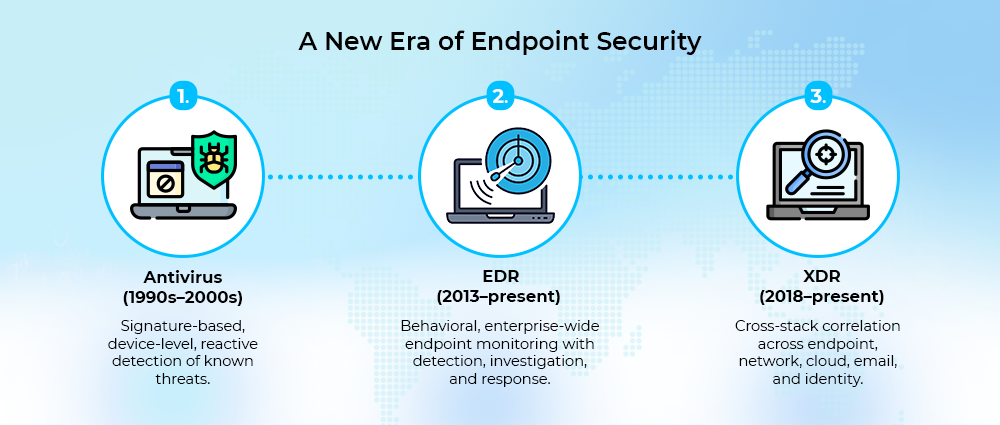
EDR emerged to solve the problem that AV couldn’t. Instead of looking for known bad files, EDR watches how everything on the endpoint behaves. It tracks what processes are running, what files they are touching, what connections they are making, and flags anything that looks out of place.
XDR expands on EDR’s functions by collecting security data from multiple parts of the IT environment. Rather than analyzing endpoint activity in isolation, it helps security teams investigate incidents using information from cloud services, networks, email platforms, and identity systems.
It follows a logical sequence:
What Is Antivirus (AV)?
Antivirus software is the original endpoint security tool. It was designed to detect and block malicious files before they could execute on a device, and within that narrow scope, it still does its job reasonably well.
How Antivirus Works
Modern antivirus software relies on two primary detection methods. The first is signature-based detection, which scans every file arriving on a device against a continuously updated database of known malware signatures. Any match is stopped before it has the chance to execute.
The second is basic behavioral monitoring, which flags software exhibiting obviously suspicious patterns, such as abnormal API calls, unusual file system writes, and attempts to disable security processes. This behavioral layer was added as attackers became better at evading pure signature detection.
What Antivirus Can Do
- Detects and blocks known malware before it can run on a device.
- Automatically isolates suspicious files to help prevent them from spreading.
- Scans files in real time and through scheduled security checks.
- Alerts users when malware or other known threats are detected.
- Provides basic protection for individual devices with minimal setup and maintenance.
What Antivirus Cannot Do
Blocking known malware is something antivirus does well. The challenge is that many modern attacks don’t follow the same pattern, leaving gaps that traditional antivirus wasn’t designed to address.
Antivirus cannot detect threats it has never seen before. Zero-day exploits, new ransomware variants, and custom malware developed specifically for a targeted attack will sail straight through signature-based detection until a signature is created, often days or weeks after the threat has already caused damage.
Antivirus cannot detect fileless attacks. If an attacker uses PowerShell, WMI, or another legitimate Windows tool to carry out malicious activity entirely in memory, there is no file to scan. Antivirus has no visibility into this class of attack.
Antivirus cannot investigate what happened. When an incident occurs, security teams need to understand what was accessed, what was exfiltrated, how the attacker got in, and what else they may have touched. Antivirus provides no forensic trail. It detected (or didn’t detect) something, and that’s all it knows.
Antivirus cannot respond beyond quarantine. Its response repertoire is: block the file, quarantine the file, or alert the user. It cannot isolate a compromised endpoint from the network, terminate a malicious process chain, or roll back changes made by an attacker.
Antivirus provides no enterprise-wide visibility. Each instance runs independently on its own device, so there’s no single view of what’s happening across all your devices.
When Antivirus Is the Right Tool
- Home users and personal devices.
- Small organizations with simple IT environments and low threat surface.
- As a first layer of protection within a broader enterprise security stack (EDR typically includes AV-equivalent capabilities, but some organizations run both).
What Is EDR (Endpoint Detection and Response)?
Endpoint Detection and Response is the tool that was built specifically to solve the problems that antivirus software cannot. It represents a complete architectural shift, from scanning files at the point of arrival to continuously monitoring every behavior on every endpoint across the organization.
How EDR Works
EDR works by continuously monitoring activity on every protected endpoint. Depending on the platform, it typically collects information such as:
- All running processes are captured with their full command line details.
- File system changes of any kind, whether a file is created, modified, renamed, or removed.
- Network connections in full detail, from destination IP and port to the protocol in use.
- Registry reads and writes are logged across the entire endpoint.
- Login events, privilege escalations, and authentication activity are tied to every user session.
- Script execution activity spanning PowerShell, WMI, bash, and beyond.
All of this data flows into a centralized EDR platform, where machine learning models and behavioral rules analyze it in real time. If the platform detects a pattern that looks like an attack, such as one process injecting code into another, a script making an unexpected outbound connection, or a document opening a command shell, it creates an alert. That alert comes with useful context, and the platform then triggers either an automated response or one guided by a security analyst.
Key EDR Capabilities
Behavioral threat detection covering known malware, unknown malware, fileless attacks, living-off-the-land techniques, and zero-day exploits. Detection is based on what the attacker is doing, not what tools they’re using.
Real-time endpoint visibility across every managed device in the organization, accessible from a centralized management console.
Automated response actions include endpoint isolation from the network, termination of malicious processes, quarantine of suspicious files, and rollback of ransomware-encrypted changes in some platforms.
Full forensic data collection enables incident investigators to reconstruct exactly what happened on an endpoint, what the attacker did, when, in what sequence, and what they accessed or modified.
Threat hunting capability that allows security analysts to proactively search endpoint data for indicators of compromise (IoCs) or attack techniques (TTPs) that automated detection may have missed.
SIEM, SOAR, and EPP integration allows EDR to work as a key layer in a larger security system, rather than working on its own.
Compliance support through comprehensive audit trails that satisfy requirements under HIPAA, SOC 2, and similar frameworks.
EDR Limitations
EDR focuses on what’s happening on endpoint devices, which means it doesn’t give security teams a complete picture of every attack. Organizations with cloud infrastructure, email services, and identity platforms often rely on additional tools to monitor those areas and connect the information together.
Another challenge is handling the volume of information EDR produces. The platform continuously monitors endpoint activity, which means security teams must investigate alerts before deciding whether action is needed. That process requires both time and skilled professionals.
When EDR Is the Right Choice
- Organizations with distributed or remote endpoints where visibility gaps exist.
- Companies that have experienced security incidents that bypassed antivirus software.
- Mid-size to enterprise organizations with internal security capacity.
- Regulated industries require forensic audit trails for compliance.
- Any organization that has graduated from basic antivirus and needs real detection depth.
What Is XDR (Extended Detection and Response)?
Extended Detection and Response is what happens when the enterprise recognizes that endpoint-only visibility is no longer sufficient. XDR takes everything EDR does on the endpoint and extends it across the entire security environment, network, cloud, email, and identity, correlating telemetry from all of these sources into a unified detection and response platform.
The defining characteristic of XDR is breaking down the silos that exist when organizations run separate tools for endpoint security, network monitoring, cloud security, and email protection. Each of those tools generates its own alerts, operates its own console, and lacks context from the others. An attacker moving across all four layers just looks like random activity in each individual tool. In XDR, they look like an attack campaign.
How XDR Works
XDR ingests telemetry from across the full security stack:
- Endpoints — the same behavioral data EDR collects.
- Network — traffic logs, DNS queries, firewall events, east-west lateral movement.
- Cloud workloads — activity in AWS, Azure, GCP, SaaS applications, and cloud storage.
- Email — phishing attempts, malicious attachments, and account compromise indicators.
- Identity and access management — login events, MFA bypass attempts, privilege escalation, impossible travel.
AI and machine learning engines correlate signals across all of these data sources to identify attack patterns that span multiple vectors. A single phishing email, endpoint compromise, lateral movement event, and cloud data access that look like four minor alerts in disconnected tools become one major attack campaign in XDR.
From a single console, security teams can investigate the full scope of an incident across every layer and trigger response actions across all of them simultaneously.
Key XDR Capabilities
Cross-stack threat visibility that connects endpoint, network, cloud, email, and identity data into a unified picture of what is happening across the enterprise.
Multi-vector attack detection that catches attack campaigns spanning multiple layers, the lateral movement from endpoint to cloud, the phishing-to-ransomware chain, and the credential stuffing that leads to data exfiltration.
Unified alert management that ties hundreds of related alerts into one coherent incident, giving analysts clarity instead of noise.
Cross-layer automated response covering the full environment, from network segmentation and cloud workload suspension to user account disabling and access revocation, all triggered at once.
Faster MTTD and MTTR mean time to detect and mean time to respond drop significantly when analysts have a unified context instead of switching between five separate consoles trying to piece together the story.
Native threat intelligence integration enriches detections with external context about known threat actors, techniques, and indicators.
XDR Limitations
XDR is a more complex platform to implement and operate than EDR. It requires integration across multiple existing security tools and data sources, a project that demands significant planning and technical work. Organizations with simple environments or limited security budgets may find XDR has more capabilities than they need.
XDR also carries a higher cost than EDR, both in licensing and in the operational expertise required to configure and manage it effectively.
When XDR Is the Right Choice
- Large enterprises with multi-cloud or hybrid IT environments.
- Organizations running multiple security tools that are generating disconnected, siloed alerts.
- SOC teams struggling with alert volume and disconnected context across tools.
- Security operations where reducing mean time to detect and respond is a board-level priority.
- Businesses that need unified detection and response across endpoints, cloud, network, and email.
EDR and XDR Key Differences
Understanding the difference between EDR and XDR starts here.
| Feature | EDR | XDR |
| Coverage scope | Endpoint only | Endpoint + network + cloud + email + identity |
| Data sources | Endpoint telemetry | Multi-source telemetry across the full stack |
| Threat correlation | Within endpoints | Cross-stack, cross-vector correlation |
| Response automation | Endpoint isolation, process kill, file quarantine | Network segmentation, access revocation, cloud workload isolation |
| Alert management | Centralized endpoint alerts | Unified, AI-deduplicated incidents |
| Threat hunting | Analyst-driven within endpoints | Cross-stack hunting with full environmental context |
| Implementation complexity | Moderate | Higher |
| Best for | Endpoint-focused security teams | Enterprise SOC with complex, multi-layer environments |
| Cost | Medium | Medium–High |
EDR vs. Antivirus vs. XDR: A Side-by-Side Comparison
| Antivirus | EDR | XDR | |
| Detection method | Signature-based + basic behavioral | Behavioral analysis + AI/ML | Cross-stack behavioral correlation + AI/ML |
| Coverage scope | Single device | All managed endpoints | Endpoints + cloud + network + email + identity |
| Threats detected | Known malware | Known + unknown + fileless + zero-day | All of EDR + multi-vector, multi-stage attacks |
| Response capability | Quarantine block | Isolation, process termination, quarantine, remediation | Cross-layer automated response across all environments |
| Forensic analysis | None minimal | Full endpoint forensics | Multi-source forensics across all layers |
| Threat hunting | None | Analyst-driven within endpoints | Cross-stack with full enterprise context |
| Alert management | Basic, per-device | Centralized endpoint console | Unified, AI-deduplicated incidents |
| Management overhead | Low | Medium | Higher |
| Ideal for | Home users / simple environments | SMB to enterprise | Enterprise / complex multi-cloud |
| Cost | Low | Medium | Medium–High |
Do You Still Need Antivirus If You Have EDR or XDR?
More organizations are asking this, and the answer is worth understanding properly.
EDR and XDR already cover the responsibilities that traditional antivirus was designed to handle. Along with detecting known malware, they monitor suspicious activity and help security teams investigate and respond to threats.
That makes keeping a separate antivirus product unnecessary for many organizations. Running both solutions together can generate repeated alerts, consume additional system resources, and increase the amount of work for security teams.
For many organizations, keeping separate antivirus running on its own stops making sense once EDR or XDR is in place. Instead of managing multiple tools that perform similar tasks, security teams can work from a single platform that offers both protection and deeper visibility into endpoint activity.
Which Solution Is Right for Your Organization?
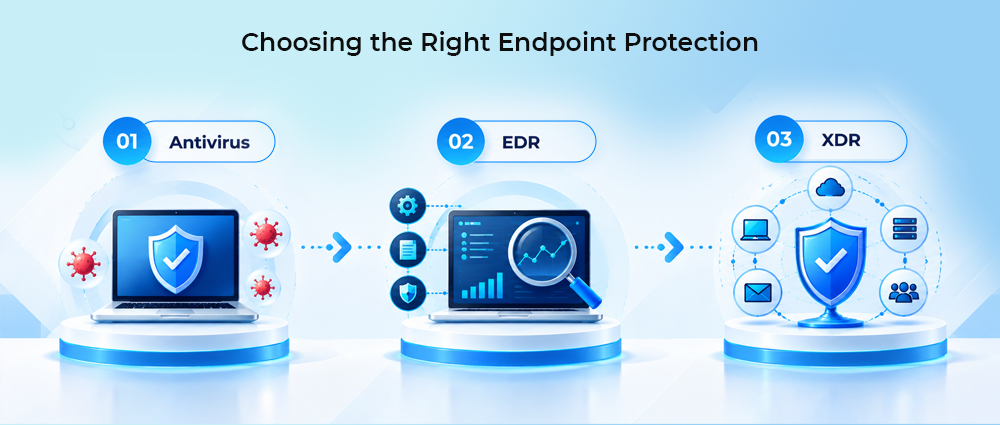
Not every organization needs the same level of protection. Here is how to identify where yours stands.
Choose Antivirus if:
- You are securing personal or consumer devices rather than a business environment.
- Your IT footprint is small, with few endpoints and a low overall threat surface.
- It is functioning as a supplemental layer on top of an existing EDR deployment.
Choose EDR if:
- Remote workers, distributed offices, or a scaling device fleet have expanded your endpoint exposure.
- You have dealt with a security incident that an antivirus missed entirely.
- Regulatory requirements in your industry demand detailed forensic records and audit trails.
- Your organization has security personnel capable of triaging alerts and conducting investigations.
- You are a mid-size organization that has clearly outgrown basic AV protection.
Choose XDR if:
- You operate across multi-cloud or hybrid environments with multiple security layers, generating disconnected alerts.
- Your security team manages endpoint, network, cloud, and email security as separate tools and is losing context in the gaps between them.
- Reducing mean time to detect (MTTD) and mean time to respond (MTTR) is a measurable organizational priority.
- You have the budget and security maturity to implement and operate a unified cross-stack platform.
- You are building or scaling an enterprise SOC and need a single platform to anchor it.
Conclusion
The limitations of legacy antivirus are no longer a matter of debate. Today’s ransomware groups bypass signature detection as a matter of routine, nation-state actors operate undetected inside enterprise networks for months, and malware that keeps changing its code evolves faster than any signature database can track. Antivirus did its job well for the threats of its time.
The decision between EDR vs. antivirus vs. XDR isn’t about picking the newest technology; it’s about choosing the level of protection your organization requires. Antivirus can still block many known threats, but EDR and XDR provide the visibility and response capabilities needed to deal with more advanced attacks. Let’s ensure your endpoint security is done right, with the team here at Amsat.





Anika Scott says:
I’m often to blogging and i really appreciate your content. The article has actually peaks my interest. I’m going to bookmark your web site and maintain checking for brand spanking new information.