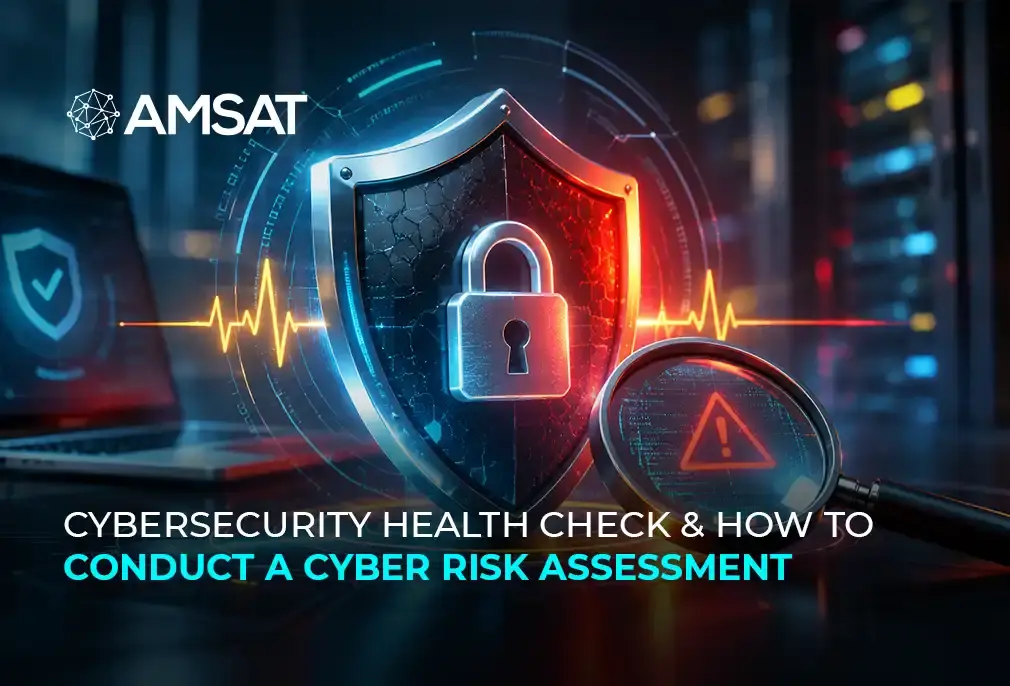
How confident are you that your business systems are secure? Even with firewalls, antivirus software, and security policies in place, some weaknesses may go unnoticed. A cybersecurity health check helps organizations review their existing security measures, identify gaps, and determine where improvements are needed.
According to IBM’s 2026 Cost of a Data Breach Report, the average worldwide cost of a data breach reached $4.99 million, a 12% increase from the previous year. The report shows how much businesses may have to spend following a data breach.
What We Will Cover
- What a cybersecurity health check involves and why it matters
- Differences between a health check and a cyber risk assessment
- Steps to conduct a cyber risk assessment
- Common security risks organizations may face
- Best security practices businesses should follow.
Key Takeaways
- A cybersecurity health check identifies weaknesses in existing security controls.
- Cyber risk assessments evaluate threats, vulnerabilities, and their potential business impact.
- Regular security reviews help organizations prioritize and address risks.
- Employee awareness, access management, and system updates are important security measures.
- Security assessments should be repeated as business systems and threats change.
What Is a Cybersecurity Health Check?
A cybersecurity health check helps businesses find weaknesses in their IT systems and existing security measures. It involves checking networks, servers, applications, and cloud services to see where security improvements are needed. It also reviews employee access to important information, software updates, and procedures for handling cyber incidents.
Depending on the scope, a cybersecurity health check may involve vulnerability scanning, configuration reviews, access control checks, security policy evaluations, and discussions with IT teams.
For example, a business may have antivirus software installed across its computers but still use outdated applications or allow employees unnecessary access to confidential files. A security review can identify these issues and recommend corrective actions.
After completing the review, the security team prepares a report covering the weaknesses found, how serious they are, and what needs to be done. Businesses can then use these findings to address security gaps and improve their existing controls.
Why Is a Cybersecurity Health Check Important
Image: Bold pointers
Many business activities depend on networks, software applications, and cloud-based systems. When businesses do not regularly review and maintain these systems, they may become vulnerable to cyberattacks. A cybersecurity health check examines the security measures already in place and identifies areas where changes may be needed.
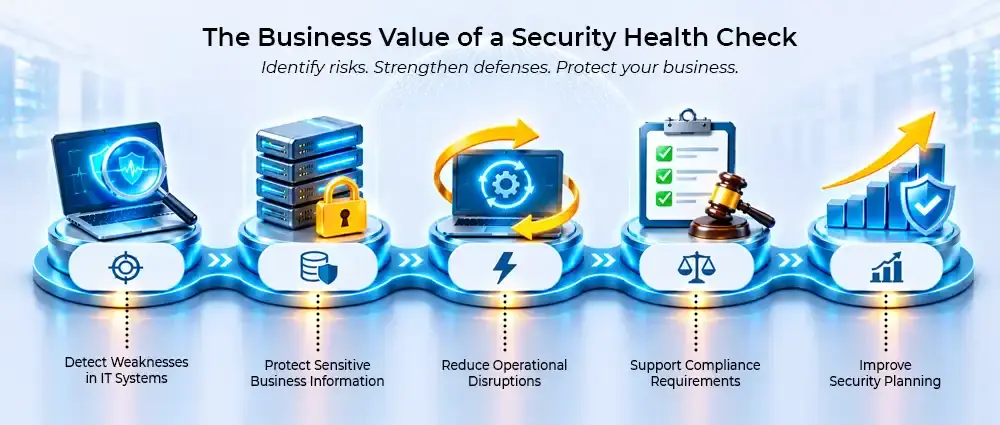
Detect Weaknesses in IT Systems
Software updates are sometimes overlooked, and system configurations may remain unchanged for long periods. During a security review, these areas are checked for vulnerabilities that could put business systems at risk.
Protect Sensitive Business Information
Business systems often contain confidential customer, employee, and financial information. Poorly managed access permissions or weak security settings can expose this data to people who should not have access to it.
Reduce Operational Disruptions
A cyberattack can make important applications unavailable, delay business activities, or prevent employees from accessing files. Businesses need to check their security controls and recovery procedures to limit the damage if an incident occurs.
Support Compliance Requirements
Regulations such as GDPR and HIPAA require certain organizations to protect personal and sensitive information. Reviewing security policies and controls can help businesses identify practices that need to be changed to meet applicable requirements.
Improve Security Planning
IT teams need to know which security issues are most serious before deciding what to fix. Assessment results can help them set priorities, plan corrective work, and decide where security resources are needed.
Cybersecurity Health Check vs. Cyber Risk Assessment
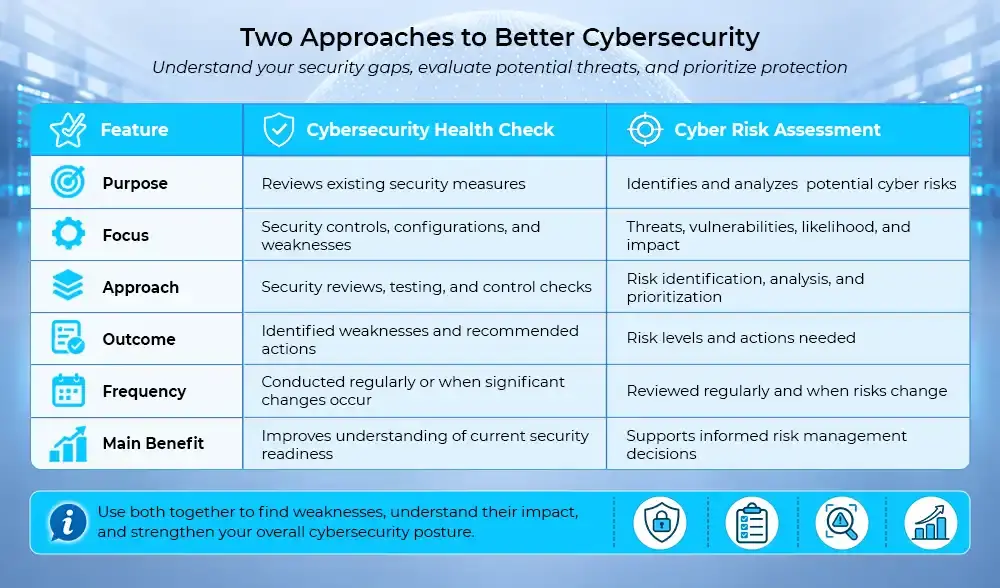
A cybersecurity health check examines how an organization’s existing security measures are working. It looks for problems in areas such as system configurations, software updates, access permissions, and security policies.
A cyber risk assessment takes a different approach. It identifies potential threats, considers which systems or information could be affected, and examines how serious the consequences might be.
The two processes are connected because weaknesses found during a health check may also be considered in a risk assessment. Security teams can use these findings to decide which problems need immediate attention and what actions are required to reduce cyber risk.
| Feature | Cybersecurity Health Check | Cyber Risk Assessment |
| Purpose | Reviews existing security measures | Identifies and analyzes potential cyber risks |
| Focus | Security controls, configurations, and weaknesses | Threats, vulnerabilities, likelihood, and impact |
| Approach | Security reviews, testing, and control checks | Risk identification, analysis, and prioritization |
| Outcome | Identified weaknesses and recommended actions | Risk levels and actions needed |
| Frequency | Conducted regularly or when significant changes occur | Reviewed regularly and when risks change |
| Main Benefit | Improves understanding of current security readiness | Supports informed risk management decisions |
Both approaches are important. A cybersecurity health check provides information about existing weaknesses, while a risk assessment helps organizations understand their significance and decide how to address them.
How to Conduct a Cyber Risk Assessment
A cyber risk assessment examines the security risks that could affect a company’s IT systems and daily operations. It starts with identifying important business assets, followed by checking for threats and vulnerabilities, assessing their potential impact, and deciding what security measures are needed.
Step 1: Identify Critical Business Assets
- Make a list of the company’s servers, applications, cloud platforms, and devices used by employees.
- Check where customer details, financial information, and other confidential records are stored.
- Determine which systems are essential for business operations.
- Consider how losing access to these systems could affect daily activities.
Step 2: Identify Potential Cyber Threats
- Check which cyber threats could affect the company’s systems and sensitive information.
- Look for possible attacks, including phishing, ransomware, malware, and unauthorized access.
- Check for risks involving both outside attackers and people who have access to company systems.
- Review past security incidents, system logs, and threat reports to identify possible risks.
Step 3: Identify Security Vulnerabilities
- Find out whether the company’s software is up to date and whether passwords and system settings provide enough protection.
- Check cloud platforms, network connections, and employee access rights for security gaps.
- Use vulnerability scans and security testing to find problems in IT systems.
- Examine the results to determine which vulnerabilities could put the business at risk.
Step 4: Evaluate the Likelihood and Impact
- Determine how likely each identified threat is to affect business systems.
- Consider the possible consequences, including financial losses, data breaches, and operational downtime.
- Check whether a security incident could affect customers, employees, or business operations.
- Assess the potential damage to decide which risks need greater attention.
Step 5: Prioritize Identified Risks
- Group the identified risks into low, medium, high, or critical categories.
- Consider the likelihood of each risk and the damage it could cause.
- Start with risks that pose the greatest danger to business operations or confidential records.
- Track less urgent security issues and include them in future assessments.
Step 6: Implement Risk Mitigation Measures
- Update software that has known vulnerabilities and correct configuration errors.
- Add multifactor authentication and remove access permissions that employees no longer need.
- Review network protection measures and educate employees about phishing and other threats.
- Assign each security task to a team member and agree on a deadline.
Step 7: Document Findings and Monitor Risks
- Prepare a report covering the security risks found during the assessment.
- Record the risk levels, recommended actions, responsible teams, and deadlines.
- Check whether the identified security problems have been resolved.
- Conduct follow-up reviews to identify new vulnerabilities and monitor remaining risks.
Common Cybersecurity Risks Identified During an Assessment
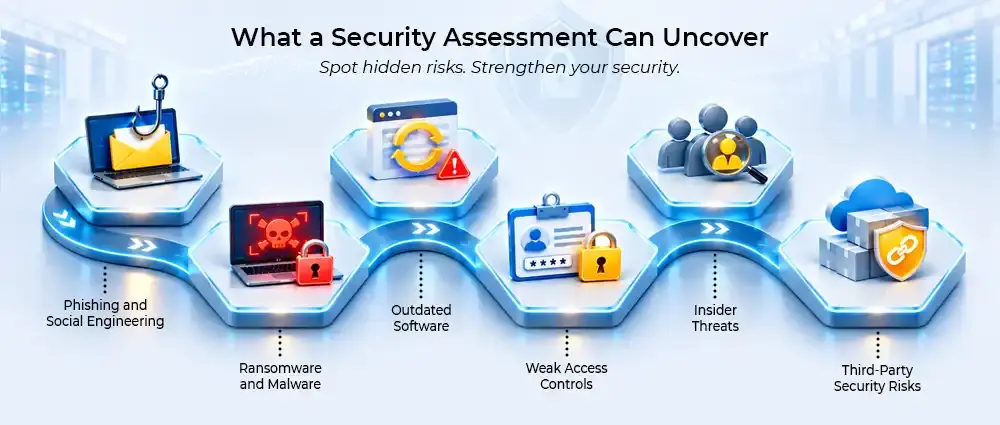
A cybersecurity health check examines security problems that may put company systems and data at risk. These problems can come from outdated technology, employee mistakes, or gaps in security practices.
- Phishing and Social Engineering: Fake emails, messages, or websites are used to obtain employee passwords or trick users into installing malware.
- Ransomware and Malware: These attacks may result in stolen information, damaged systems, or files that employees can no longer open.
- Outdated Software: Older software versions may have known security flaws, especially when important patches have not been installed.
- Weak Access Controls: Poor password practices and unnecessary user permissions can allow unauthorized people to access company systems.
- Insider Threats: Insider threats in cybersecurity include employee mistakes, negligence, compromised accounts, or intentional misuse of access.
- Third-Party Security Risks: Weak security practices among vendors and service providers can expose business data and connected systems.
Best Practices for an Effective Cybersecurity Health Check
A cybersecurity health check should follow a consistent process that covers technical controls, employee practices, and security management. The following practices can help organizations conduct more effective reviews:
- Define the Assessment Scope: Identify the networks, applications, devices, and cloud systems that need security reviews.
- Maintain an Asset Inventory: Keep updated records of hardware, software, user accounts, and cloud resources.
- Review Access Permissions: Make sure employees only have access to the systems and information required for their work.
- Conduct Vulnerability Scans: Use scanning tools to find software vulnerabilities, missing patches, and configuration errors.
- Improve Employee Awareness: Train employees to recognize phishing attempts, suspicious links, and other cyber threats.
- Test Incident Response Plans: Review security response procedures and test data backup and recovery systems.
- Document Security Findings: Record identified risks, recommended actions, and progress to improve security over time.
How Often Should Businesses Conduct a Cybersecurity Health Check?
The frequency of a cybersecurity health check depends on the organization’s size, industry, IT infrastructure, and exposure to cyber threats. Businesses should consider the following situations when planning security reviews.
Annual Security Reviews
Conducting a cybersecurity health check annually gives businesses an opportunity to review their IT security, check for vulnerabilities, and make changes where necessary.
After Major IT Changes
Organizations should perform a cybersecurity health check after significant infrastructure upgrades, cloud migrations, or new software deployments to identify potential security gaps.
Following a Security Incident
A cybersecurity health check after a cyberattack or data breach helps businesses identify weaknesses, review affected systems, and improve security measures to prevent similar incidents.
Regular Reviews for High-Risk Environments
Businesses with high-risk systems may need to review their security more than once a year. The frequency should depend on the type of information they handle, the importance of their systems, and the threats they face. Regular reviews can also improve cyber risk awareness among employees and security teams.
Conclusion
A cybersecurity health check allows businesses to examine their existing security measures and find areas that need attention. Along with a cyber risk assessment, it helps determine which threats could affect important systems and which security issues should be addressed first.
Regular assessments, vulnerability management, and employee security awareness can help organizations maintain stronger protection against potential attacks.
AMSAT can help your organization evaluate security weaknesses and improve its cybersecurity measures through professional security assessment and risk management support.
Frequently Asked Questions